Short answer: yes, most laser toner cartridges can be refilled. A refill puts new toner powder into the old cartridge. It does not renew the drum, the blades or the seals, and on most modern printers it does not reset the chip. Refilling works best for low-volume printers and simple cartridges. For daily office printing, a new compatible cartridge usually gives more predictable quality at a cost close to a refill.
Can toner cartridges be refilled?
A toner cartridge is a small machine. Depending on the printer, it can contain a hopper with toner, a developer (magnetic) roller, a doctor blade that meters the toner, an OPC drum, a charge roller, a wiper blade, a waste toner chamber and a chip. Refilling replaces only the toner. Everything else keeps working at whatever condition it is in.
That is why the answer depends on the cartridge type:
- Toner-only cartridges (the drum is a separate unit) are the easiest to refill. Wear is lower because there is no drum inside.
- All-in-one cartridges (toner and drum together) can be refilled, but the drum and blades wear with every cycle. Quality usually drops after a small number of refills unless worn parts are replaced.
- Copier toner bottles are designed as consumables. Some are refilled in bulk by service companies, but the bottle chip and seals often limit reuse.
How toner refilling works, step by step
Whether you use a home refill kit or a refill shop, the process follows the same logic. Skipping a step is the most common reason a refilled cartridge leaks or prints badly.
How a toner refill is done
- Identify the cartridge and the powder. Find the exact cartridge code and buy toner powder made for that printer engine. Powder for another engine can have the wrong charge and melting point.
- Empty the waste chamber. On all-in-one cartridges, open the waste side and remove used toner, or the cartridge leaks after refilling.
- Fill the hopper. Open the fill plug or separate the halves and pour the measured amount of powder. Overfilling causes leaks.
- Clean and inspect. Wipe the drum area with a lint-free cloth, check the doctor blade and seals, and replace worn parts if the kit includes them.
- Reset or replace the chip. Many cartridges need a new chip or a reset so the printer stops reporting the cartridge as empty.
- Test print. Print a test page with text, gray areas and solid black. Check for background, streaks and leaks before returning the cartridge to use.
Professional refill shops add two things a home kit does not: a vacuum station to remove old toner completely, and test equipment to check the result before the cartridge leaves. Refilling at a desk in an office without those tools is the main source of toner spills and dirty prints.
Refill kits, toner powder and chips
Refill kits
A typical kit includes a bottle of toner powder, a fill cap or a tool to make a fill hole, and sometimes a replacement chip. Better kits list the exact cartridge codes they fit. A kit that claims to fit a long list of unrelated printers is a warning sign.
Toner powder: why “universal” powder causes trouble
Toner is not just black dust. Each printer engine is designed for toner with a particular particle size, electrical charge and melting range. Powder made for a different engine may carry too little charge, which shows up as gray background and scatter around text, or melt at the wrong temperature, which causes smearing. Mixing a new powder with what is left of an old one makes this worse. Buy powder specified for your cartridge code, and empty the hopper before you fill it.
Chips
Most current cartridges carry a chip that tracks how much toner has been used. After a refill, the chip still says “empty”. Depending on the printer, you will see a low-toner warning, a “non-genuine” or “used cartridge” message, or the printer will refuse to print. A new chip or a reset solves this when the design allows it. Some printers only allow you to continue after confirming a message.
What wears out: drum, blade, seals
Each time a cartridge runs empty, its other parts have done the same amount of work. These are the parts a refill does not touch:
- OPC drum. Its photosensitive coating wears with every page. A worn drum gives gray background, light print and repeating marks.
- Wiper (cleaning) blade. It scrapes leftover toner off the drum. When worn, it lets toner pass, which causes streaks and dirty pages.
- Doctor blade. It sets the thickness of the toner layer on the developer roller. A worn or damaged blade causes uneven density and leaks.
- Seals and the waste chamber. Seals at the roller ends stop toner escaping. A full or poorly sealed waste chamber is a common cause of leaking refills.
If you refill all-in-one cartridges regularly, plan to replace the drum and blades every few cycles. At that point the job has become a remanufacture, and buying a cartridge that was built new or rebuilt in a factory is often simpler. Our guide to doctor blade wear and toner leakage explains why these parts matter.
Cost per page: refill vs compatible vs OEM (example calculation)
To compare options fairly, divide the price of each option by the number of pages it actually prints. The numbers below are examples to show the method, not quotes.
Cost per page: an example calculation
| Option | Price (example) | Pages (example) | Cost per page |
|---|---|---|---|
| OEM cartridge | $90 | 2,000 | 4.5 ¢ |
| New compatible cartridge | $30 | 2,000 | 1.5 ¢ |
| Refill (powder only) | $12 | 2,000 if everything works | 0.6 ¢ |
| Refill + one failed refill reprinted | $12 + $12 + paper and time | 2,000 | 1.2 ¢ or more |
A refill looks cheapest on paper. The real cost rises with failed refills, reprints, technician time and drum damage. Always compare at the same page yield.
Three things change the result in practice:
- Failure rate. If one refill in five leaks or prints badly, add the cost of the failed refill, the reprinted pages and the time spent.
- Parts. Chips, drums and blades bought separately close most of the price gap with a new compatible cartridge.
- Volume. At high volume, small differences per page add up, but so do the hours spent refilling and cleaning printers.
For a fuller method, read how to calculate the true cost of toner.
Refill, remanufactured, new compatible or OEM?
Four options cover almost every printer. They differ in what is new inside the cartridge and in who is responsible for testing it.
Refill, remanufactured, new compatible or OEM?
| Option | What you get | Main risk | Best for |
|---|---|---|---|
| Refill | Your old cartridge with new toner powder; drum, blades and seals stay as they are | Worn drum and seals, wrong powder, chip still reports empty | Low-volume users who can do it cleanly and test the result |
| Remanufactured | A used cartridge rebuilt by a factory: cleaned, worn parts replaced, refilled and tested | Quality depends on the remanufacturer's process | Buyers who want a lower price and a reused shell |
| New compatible | A newly built cartridge made to fit the printer, with new drum, blades, seals and chip | Quality varies by supplier; buy from a source that tests batches | Offices and resellers that need predictable quality at lower cost |
| OEM | The printer brand's own cartridge | Highest price per page | Warranty-sensitive or specialist printing |
A useful way to think about it: a refill is a do-it-yourself repair, a remanufactured cartridge is a factory repair, and a new compatible cartridge is a new part made by a third party. Our article on OEM vs compatible vs remanufactured cartridges goes deeper into the trade-offs.
When refilling is a bad idea
Refilling is the wrong choice in these situations:
- The printer is used every day by several people. A failed refill stops work for everyone.
- The cartridge has a built-in drum that has already been refilled. Expect background, streaks and leaks.
- You cannot get powder made for your exact cartridge. Wrong powder causes more problems than it saves.
- The printer strictly checks chips. If no reliable chip or reset exists, the refill may not print at all.
- Print quality matters for customers. Quotes, invoices and marketing material printed with gray background cost more than the toner saved.
- You have nowhere clean to work. Toner spills on carpets and inside printers are hard to clean and can damage the machine.
Does refilling void the printer warranty?
This is one of the most common worries. In the United States, a manufacturer generally cannot void a printer warranty only because you used a refilled or third-party cartridge. Similar consumer protections exist in many other markets. However, if a leaking or badly refilled cartridge damages the printer, the repair of that damage may not be covered. In practice this means two things: refill carefully, and keep a record of which cartridge was installed when a problem started.
For businesses, the bigger question is service contracts. Managed print and service agreements often set their own rules on supplies. Check the contract before switching a fleet to refills or compatible cartridges. Our article on compatible toner and printer warranties covers the details.
Safety and cleanup during a refill
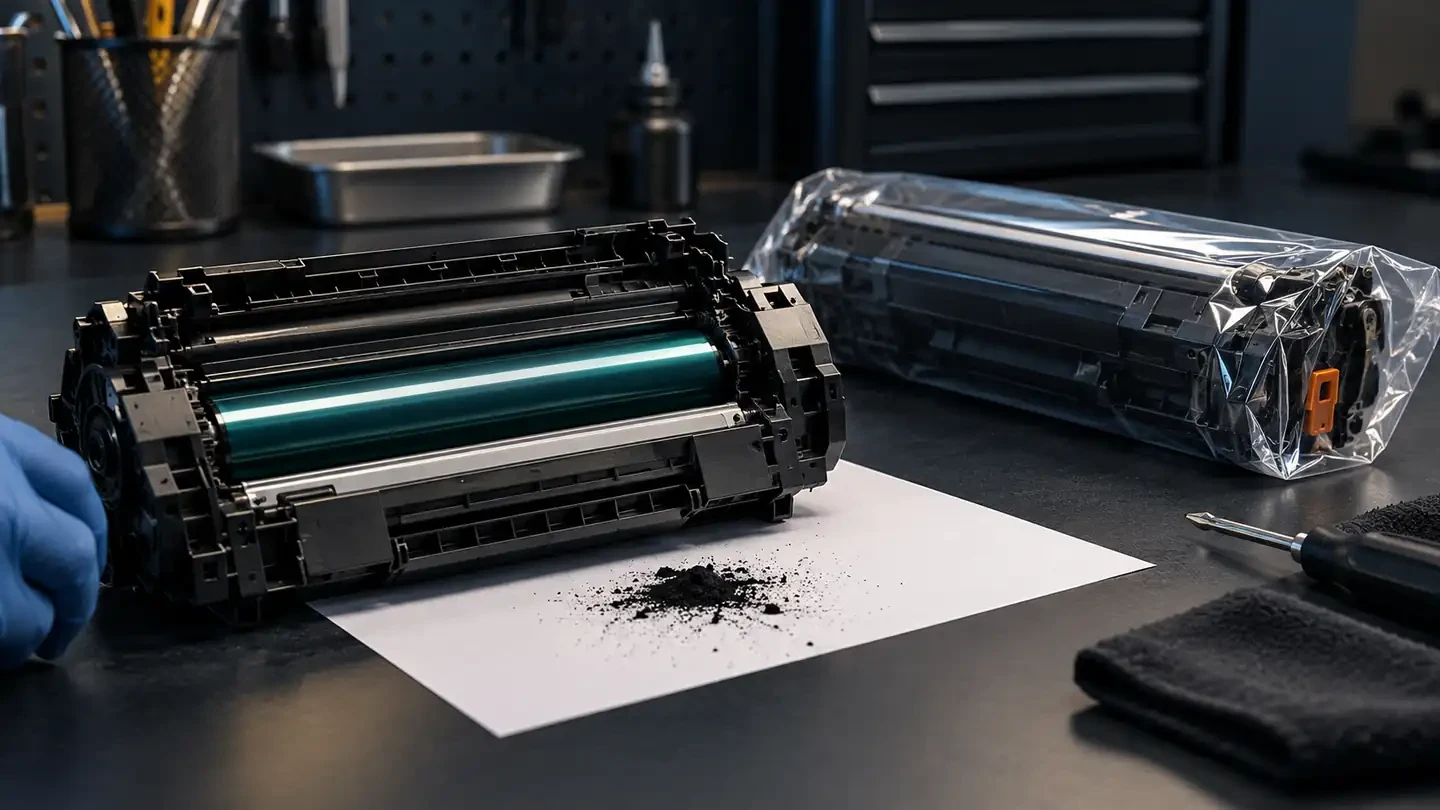
Toner is a very fine powder that spreads easily. Work over a sheet of paper or a tray, in a ventilated room, and away from carpets. Wear disposable gloves; a simple dust mask is sensible. If you spill toner, wipe it with a damp cloth or use a vacuum designed for toner. A normal household vacuum lets fine toner pass through its filter and can be a fire risk with fine dust. Wash toner off hands and clothes with cold water, because warm water can set it.
A quick checklist before you decide
- Do you know the exact cartridge code and have powder made for it?
- Is there a separate drum unit, or is the drum inside the cartridge?
- How many times has this cartridge already been refilled?
- Does the printer accept the cartridge after a chip reset or replacement?
- Who tests the refilled cartridge, and who pays if it fails?
- What does a new compatible cartridge cost per page from a supplier that tests every batch?
If you answer “no” or “not sure” to the first four questions, a new cartridge is usually the safer buy.
Choosing a new compatible cartridge instead
A new compatible cartridge comes with a new drum, blades, seals and chip, and toner matched to the printer engine. That removes the variables that make refills unpredictable. You can browse compatible cartridges for Canon, Xerox, Ricoh, Kyocera, Konica Minolta, Sharp and Toshiba printers in the UNICO catalog. Dealers and service companies buying in volume can request samples and a quote through our wholesale toner supply page.
FAQ
How many times can you refill a toner cartridge?
There is no fixed number. The limit is set by the parts that are not replaced: the drum, the wiper and doctor blades, and the seals. On cartridges with a built-in drum, print quality often drops after one to three refills unless worn parts are replaced. Cartridges without a drum, used with a separate drum unit, can usually be refilled more times.
Is refilling toner safe?
It is safe if you work carefully. Toner is a very fine powder, so refill in a ventilated area, avoid creating dust, wear gloves and a dust mask, and never use a household vacuum to clean spills. Wipe small spills with a damp cloth and wash toner off skin with cold water.
Why does my printer not recognize a refilled cartridge?
Most modern cartridges have a chip that counts pages. After a refill the chip still reports the cartridge as empty or used, so the printer may refuse it or show a warning. The fix is a replacement chip or a reset, where the cartridge design allows it.
Is it cheaper to refill or buy compatible toner?
Per refill, powder is cheaper than a new compatible cartridge. Over a year the gap usually narrows, because refills fail more often, need time and chips, and wear out the drum. For an office printing every day, a reliable new compatible cartridge is often cheaper once reprints and downtime are counted.